
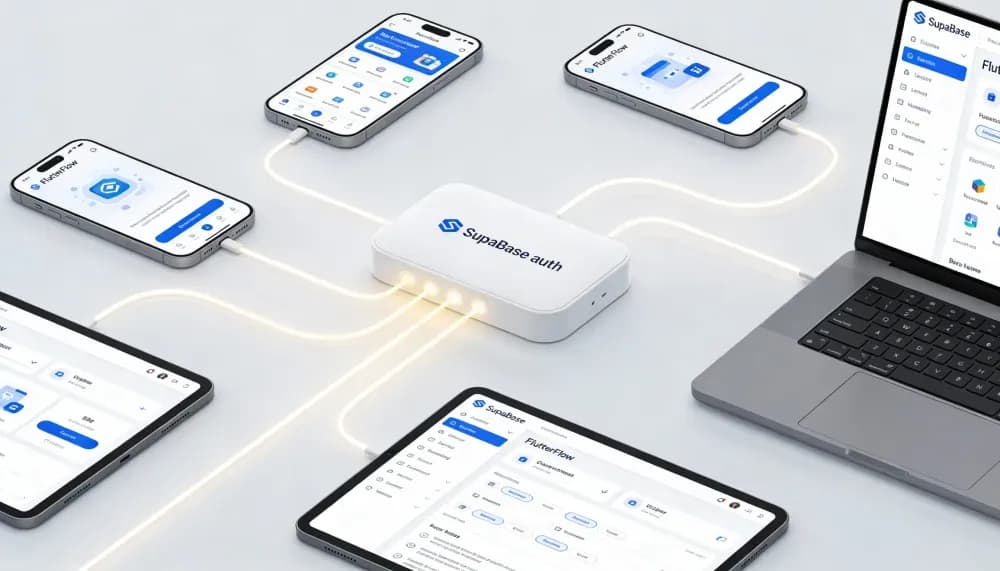


FlutterFlow and Supabase are a powerful pairing for teams that want rapid UI development with a real, scalable backend.
FlutterFlow accelerates front-end work with visual building blocks and exportable Flutter code. Supabase brings a Postgres database, authentication, file storage, realtime, and serverless functions.
Together, they let you prototype quickly and evolve into production without rewriting your stack.
This article walks beginners through foundational steps and gives advanced implementers patterns for security, performance, and maintainability.
Let's get into it then!
Understanding Architecture at a Glance —
- Client: FlutterFlow-generated Flutter app (Web, iOS, Android)
- Backend: Supabase (PostgreSQL, Auth, Storage, Realtime, Edge Functions)
- APIs: PostgREST (REST), Realtime channels, and RPC (SQL or Edge Functions)
- Security: JWT auth with Row-Level Security (RLS) enforced in the database
Core Building Blocks —
- Data Modeling: Prefer UUID primary keys; default timestamps (
created_at,updated_at); normalize lookups (roles, statuses) - Auth & Roles: Email, OAuth, or phone authentication. Use JWT claims (e.g.,
auth.uid()) in RLS policies for least-privilege access - Storage: Save file paths in tables; use signed URLs for private content
- Business Logic: Start with client CRUD + RLS; move multi-step or transactional logic into Postgres functions (RPC) or Edge Functions
High-Level Approach to Connecting FlutterFlow and Supabase —
- Create your Supabase project, tables, and policies.
- In FlutterFlow, configure Supabase (URL + anon key) per environment.
- Build backend queries (list/detail) and mutations (insert/update/delete).
- Expose complex logic via RPC or Edge Functions and call them via API Call in FlutterFlow.
- Keep security server-side with RLS—client filters are not security.
Benefits:
Speed with Escape Hatches—
- Visual building accelerates delivery
- Exportable Flutter code avoids lock-in
- Open Postgres and SQL provide clear contracts, easier debugging, and a strong ecosystem
Security You Can Reason About—
- RLS-first approach: Policies live next to the schema, are versionable, and apply uniformly across clients
- Simpler mental model than ad-hoc API ACLs spread across multiple services
Production-Ready Out of the Box—
- Authentication, file storage, realtime updates, and functions without stitching together multiple vendors
- Works well for MVPs and scales effectively for multi-team products
Challenges and Considerations:
Auth & RLS (Non-Negotiable) —
- Enable RLS on every user-facing table
- Write explicit policies (read/write own rows; admin overrides)
- Test with sample users
- Never rely on client-side filtering alone
Data Flow & URLs —
- On the web, pass only IDs in routes
- Fetch the full row on page load
- Avoid leaking sensitive data in query strings
- Add loading states (skeletons/spinners) to prevent white flashes during loading
Input Validation & UX —
- Keep TextField values as strings while typing
- Parse values to numbers only on submit
- Prevent issues such as decimal values clearing the field
- Use formatters, regex validation, and clear error messaging
Performance & Storage —
- Index common filters (
user_id,status,created_at) - Use server-side pagination
- Debounce search requests
- Store file paths instead of large payloads
- Serve content via signed URLs
- Cache thumbnails where appropriate
Environments, Migrations & Operations —
- Separate development, staging, and production environments
- Use environment-scoped keys
- Commit schema and policy changes as migrations
- Add basic logging and monitoring
- Monitor egress and storage costs
Conclusion
FlutterFlow + Supabase lets you move from idea to production without switching stacks. Start with a clean schema and simple list/detail screens. Add RLS from day one, then layer in pagination, storage, and RPC/Edge Functions as complexity grows. With environments, migrations, and observability in place, you’ll have a fast path to MVP and a safe path to scale.
Stay tuned for more blogs from me!
